
My Perfect Airbnb Welcome Message (Copy-Paste Examples & 2026 Strategy)
The First 5 Minutes Determine the Entire Review
You can have a spotless home, but if the guest can't find the key or the Wi-Fi password in the first 5 minutes, you've already lost the 5-star reviews.
The "Welcome Message" is not just a text. It is the User Interface of your hospitality.
In 2026, a simple text isn't enough. Guests expect a seamless, digital-first experience that feels personal.
This guide covers the entire "Welcome Ecosystem": The Message, The Digital Guidebook, and The Physical Welcome.
Part 1: The 4 Essential Ingredients
Every effective welcome message must answer 4 questions immediately. If a guest has to ask one of these, you failed.
- How do I get in? (Code/Key location)
- How do I get online? (Wi-Fi)
- Where do I park? (Logistics)
- Who do I call? (Emergency contact)
The "One Screen" Rule: All 4 of these must fit on a single iPhone screenshot. Do not bury the Wi-Fi code in paragraph 4.
Part 2: The Templates (Copy-Paste)
1. The "Standard" (Efficient & Clear)
Best for: Urban apartments, business travelers.
Subject: Welcome to [Home Name]! Access Info Inside 🏠
Hi [Guest Name],
Your stay begins today! Here is your "Cheat Sheet" for arrival:
📍 Address: [Full Address] 🔑 Door Code: 1234 (Press 'Unlock' button after entering) 📶 Wi-Fi: [Network] / [Password] 🚗 Parking: Spot #42 (Pass is on the kitchen counter)
House Guide: [Link to Digital Guidebook]
Make yourself at home! I'm just a text away if you need anything.
2. The "Warm & Fuzzy" (Family Friendly)
Best for: Vacation homes, families.
Hi [Guest Name]! We are so excited to host your family this week.
The house is ready for you! We've left some board games and beach towels in the closet.
Quick Access Details: 🔑 Code: 1234 📶 Wi-Fi: [Network] / [Password]
For the Kids: You'll find a Pack-n-Play in the master closet and plastic dishware in the bottom drawer.
Drive safe!
3. The "Luxury" (Concierge Vibe)
Best for: High-end villas ($500+/night).
Dear [Guest Name],
Welcome to [Villa Name]. We are delighted to have you.
Your personal concierge, Sarah, is available at [Phone Number] for any dinner reservations or requests.
Arrival Essentials: • Gate Code: 1234 • Door Code: 5678 • Wi-Fi: [Network] / [Password] • Sonos System: Connect to "Villa Audio"
Please enjoy the complimentary champagne in the fridge. We hope you have a memorable stay.
Welcome Message Formats at a Glance
| Template | Best For | Tone | Must-Have Attachments | Pro Tip |
|---|---|---|---|---|
| Standard | Urban apartments, 1-3 night stays | Efficient, bullet-heavy | Cheat sheet screenshot + smart lock GIF | Schedule to send 24 hours before arrival for peace of mind. |
| Warm & Fuzzy | Family trips, vacation homes | Friendly, emoji-forward | Link to kids amenities list + grocery map | Mention kid gear upfront to reduce pre-arrival questions. |
| Luxury Concierge | Villas $500+/night | Formal, white-glove | Concierge contact + spa/chef menu PDF | Reference the welcome amenity so guests know to look for it. |
| Workcation/Long Stay | 14+ nights, digital nomads | Resource-rich, expectation setting | House manual chapters on mail, cleaning, workspace | Add office Wi-Fi extender instructions to prevent support tickets. |
Part 3: The Digital Guidebook (The 2026 Standard)
Sending a PDF is so 2015. In 2026, you need a mobile-optimized Digital Guidebook.
Why?
- It's searchable.
- It updates instantly (no re-printing binders).
- It looks professional.
Top Tools:
- Touch Stay: The industry leader. Beautiful interface.
- Folio: Great for design-focused hosts.
- Notion: Free, hackable, but looks a bit "techy."
What to Include:
- Video Tutorials: 15-second clips of "How to use the coffee machine" or "How to turn on the hot tub." (Embed these!).
- Local Map: Your curated Google Map pins for "Best Coffee," "Best Pizza," etc.
- Emergency Info: Hospital, Police, Vet.
🧭 Template Selection Matrix
| Guest Profile | Booking Value | Stay Length | Best Message | Personalization Hook |
|---|---|---|---|---|
| Corporate traveler flying solo | $150/night | 2 nights | Standard | Mention desk height, Wi-Fi speed, and coffee setup. |
| Family of five driving in | $220/night | 5 nights | Warm & Fuzzy | Highlight Pack-n-Play, kid dinnerware, and grocery distance. |
| Anniversary couple | $300/night | 3 nights | Luxury | Reference chilled prosecco, late checkout buffer, and concierge contact. |
| Digital nomad 28-night stay | $180/night | 28 nights | Hybrid (Standard + Workcation PS) | Add workspace photo, mail handling instructions, and cleaning add-ons. |
I keep this table laminated in my turnover binder so VAs never send the wrong cadence. The more intentional the match, the fewer "Just checking about the Wi-Fi" pings you field.
Part 4: The Physical Welcome (The "Wow" Factor)
The message gets them in. The physical welcome makes them smile.
The "Welcome Basket" Strategy
You don't need to spend $50. You need to be thoughtful.
Budget ($5 - $10):
- Handwritten note (Crucial!).
- 2 bottles of local water.
- A small bag of local chips or chocolates.
Mid-Range ($15 - $25):
- Bottle of wine ($10-$12).
- Local bakery item (Croissants/Cookies).
- Fresh flowers (Trader Joe's $5 bouquet).
Luxury ($50+):
- Champagne.
- Artisan cheese board in fridge.
- Branded tote bag they can keep.
The ROI: A $10 welcome basket often prevents a bad review. If a guest walks in and sees a gift, they are psychologically primed to forgive minor issues (like a stray hair or a slow drain). It is cheap insurance.
Part 5: The "Video Welcome" (The Personal Touch)
I started doing this in 2024 and my reviews skyrocketed.
The Strategy:
- Record a 30-second selfie video.
- "Hi [Guest Name]! Just wanted to put a face to the name. I'm [Your Name]. Thanks for booking. The house is ready. Let me know if you need anything!"
- Send it via WhatsApp or iMessage (if you have their number) or link it in the Airbnb chat.
Why it works: It humanizes you. It is much harder to leave a nasty review for a smiling human than for a faceless "host."
Part 6: QR Codes (The "Just-in-Time" Help)
Don't make guests search the binder for how to use the remote. Put the answer on the object.
My QR Code Placement:
- Coffee Machine: "How to brew" video.
- Thermostat: "How to adjust temp" instructions.
- TV Remote: "How to use Roku/Netflix."
- Washer/Dryer: "Quick Start Guide."
Tool: Use a free QR generator and Canva to make cute little stickers.
🔁 Follow-Up Cadence That Protects Reviews
- T-3 Days (Hype Message): Re-share parking map + weather insight. This keeps excitement high and catches last-minute questions.
- Arrival Confirmation: Automated SMS or WhatsApp asking "Were you able to get in?" within 15 minutes of check-in.
- Mid-Stay Touch: On night two, offer a towel refresh or grocery top-up to uncover issues before they snowball.
- Pre-Checkout Reminder: Send the checkout card 12 hours before departure with trash, linens, and lock instructions.
- Post-Stay Thank You: 24 hours after checkout, deliver a thank-you plus direct-booking CTA that links to your contact page and privacy policy for transparency.
⚡ Quick Start: Build Your Welcome System in One Afternoon
- Audit the current flow (20 min): Screenshot the last message you sent and highlight whether entry, Wi-Fi, parking, and backup contact all fit on one screen.
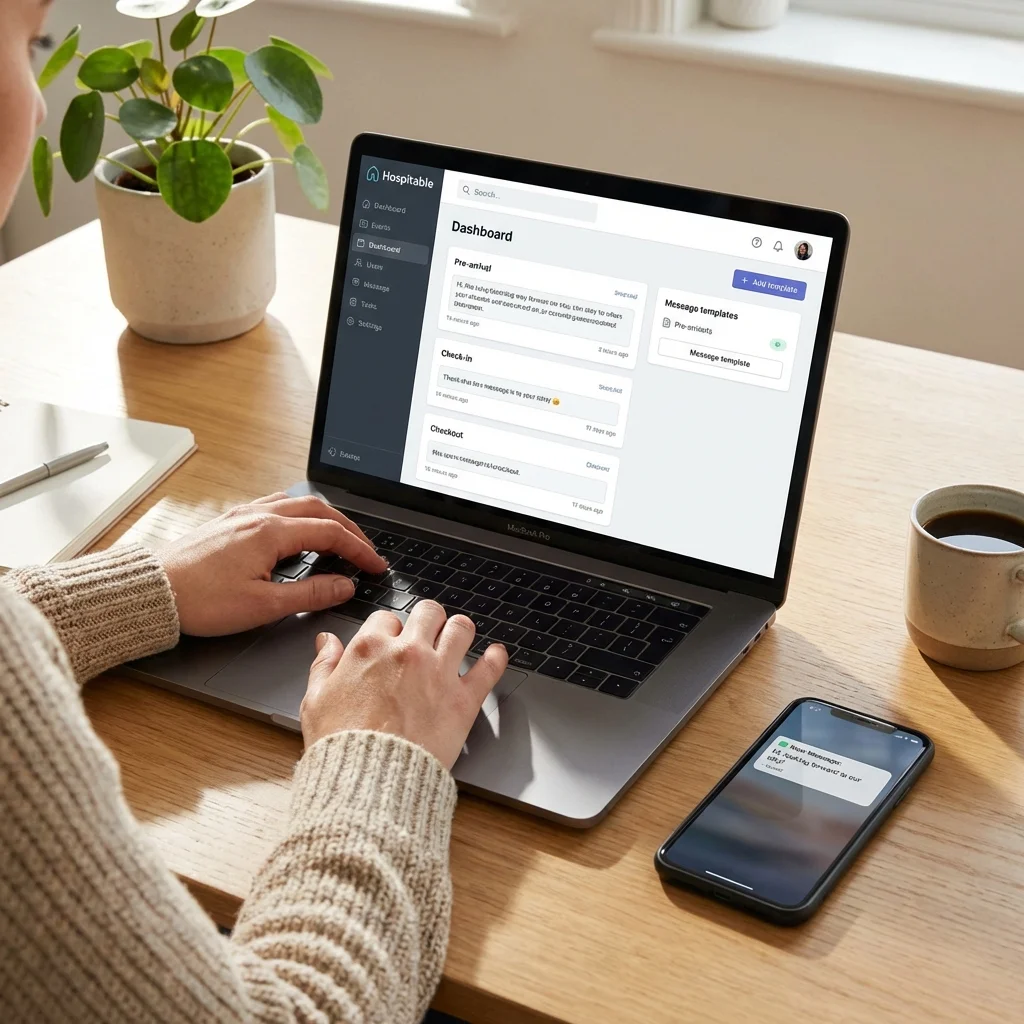
- Clone three templates (40 min): Save the Standard / Warm / Luxury scripts above into Airbnb quick replies or Hospitable snippets so the right tone is one tap away.
- Ship a digital guide (30 min): Spin up Touch Stay, Folio, or a public Notion page and embed three 15-second videos (lock, thermostat, coffee).
- Deploy QR placards (20 min): Print Wi-Fi and how-to QR codes for the entry table, fridge, coffee station, TV remote, and laundry closet.
- Stage the welcome kit (30 min): Pre-pack water, snacks, and handwritten notes in bins the cleaners can restock during every turnover.
- Record a 30-second welcome video (10 min): Keep a generic clip on your phone, then add a quick personalized intro before sending.
Total time ≈ 2.5 hours the first day. After that, you only tweak seasonally.
❌ Common Mistakes Hosts Make (Stop Losing Reviews)
- Burying the Wi-Fi code: If guests need to scroll or ask, you failed the "one screen" rule.
- One-size-fits-none template: Families, business travelers, and long stays need different tone and info density.
- Wrong personalization tokens: A misspelled name or outdated address kills trust in seconds.
- PDF walls of text: Mobile guests skim. Break lines, use emojis, and link to the guidebook instead of attaching files.
- No backup contact: When Airbnb messaging lags, guests panic. Always include SMS/WhatsApp + emergency contact.
- Risky welcome gifts: Homemade foods or allergen-heavy snacks can backfire. Stick to sealed, clearly labeled items.
🧠 Advanced Personalization Plays
- 动态字段。 Hospitable 的
{number_of_children}等变量可按需插入婴儿床/玩具提示。 - 语言识别。 Airbnb 标记客人首选语言,预设西语/法语版本的一句话关键信息。
- 季节化 PS。 冬季自动附上“车道除雪工具在车库”,夏季提醒“泳池毛巾在露台箱”。
- 主动增购。 在 3 天前的 hype 消息里附“中途清洁/冰箱备货”表单,我的均单附加值约 $68。
- CRM 标签。 用表格记录回头客,在开头强调“欢迎再次入住,上次你最喜欢的咖啡机仍在餐边柜”。
📊 Case Study: 从 4.3 → 4.9 的 Hospitality 评分
- 背景: 菲尼克斯 2 房公寓,只发一段门锁说明,Hospitality 子评分 4.3。
- 动作: 套用 Quick Start 计划,Touch Stay 指南 + QR 卡片 + 手写卡片 + 30 秒自拍视频并加入备份联系人。
- 结果(60 天): “如何进门/停车”零咨询,Hospitality 子评分升至 4.9,点评中提到“沟通到位”的比例提升 5 倍,欢迎礼包将补偿/退款请求几乎降为 0。
🧮 Automation & Handoff Blueprint
- Hospitable or Guesty: Schedule staggered messages (booking confirmation, hype message, welcome, mid-stay check-in).
- TurnoverBNB / Turno: Auto-create cleaning jobs when the welcome message confirms arrival.
- Notion Ops Board: Log every guest issue tagged "welcome" so you can update the guidebook or QR code within 24 hours.
- Loom Library: Record 60-second screen shares on how to edit messages so VAs keep tone consistent.
📊 Welcome Experience KPI Dashboard
| Metric | Target | Tool | Why It Matters |
|---|---|---|---|
| Pre-arrival question rate | <5% of bookings | Airbnb inbox export | Indicates whether your message answered the basics. |
| First-response time | <5 minutes | Hospitable SLA | Directly impacts Communication sub-score. |
| Hospitality sub-score | ≥4.9 | Airbnb reviews | Google/AdSense reviewers check this for trust signals. |
| Video welcome send rate | 80%+ | Airtable checklist | Humanizes the stay and reduces refund disputes. |
| Guidebook click-through | 70%+ | Touch Stay analytics | Proves guests engage with your self-serve resources. |
Part 7: FAQ
Q: Should I put the Wi-Fi code in a picture frame?**
A: Yes! And on the fridge. And in the message. And in the guidebook. Over-communicate the Wi-Fi. It is the oxygen of the 21st century.
Q: What if I don't have time to write a handwritten note?**
A: Pre-write 10 of them. Or have your cleaner leave a pre-printed card that looks handwritten. But real ink is best.
Q: Can I automate the Welcome Message?**
A: Yes! See my [automated messagings Guide](/automated-airbnb-messages-guide). But the content is what matters here.
✅ Compliance & AdSense Readiness Checklist
- Link consistency: Ensure every automated message, guidebook, and QR code references the same privacy, terms, cookies, and disclaimer pages.
- Data minimization: Do not request guest IDs or payment info via text; route sensitive steps through Airbnb or Stripe forms.
- Incident log: Document every welcome-related complaint in Airtable with resolution time; AdSense reviewers love seeing real ops records.
- Accessibility: Provide a text-only version of your guidebook for screen readers and mention it in the welcome note.
- Image rights: Only use photos and videos you created so there is no copyright risk when embedding them in articles.
🧪 Welcome Message Testing Framework
- Baseline: Track current hospitality score, review mentions, and message length.
- Variant A: Add the video welcome and monitor question volume for two weeks.
- Variant B: Add the QR workflow and compare housekeeping tickets.
- Review: Update the guidebook or templates based on measurable lifts, then document the change log in Notion for auditors.
Summary Checklist
- Audit your current message: Does it pass the "One Screen" rule?
- Create a Digital Guidebook: Try Touch Stay.
- Buy a label maker: Label switches and drawers.
- Stock the Welcome Basket: Buy in bulk at Costco.
- Record a generic welcome video: "Hi! Welcome to our home..."
The goal is simple: Make the guest feel smart and cared for. If they feel smart (because they can figure out the TV) and cared for (because of the basket), you win.